
Too Long? Read This First
- Using WhatsApp for support cuts traditional email and call wait times by resolving queries instantly on the platform the customer already prefers.
- Key uses include sending proactive order confirmations and shipping updates, managing booking reminders, collecting customer feedback, and answering real-time questions.
- The article contrasts the basic free Business App with the scalable WhatsApp Business API, which is essential for automation, CRM integration, and high-volume support.
- A solution like Wati is required to use the API, providing the Shared Team Inbox, AI chatbots, and analytics to automate resolutions and empower support teams.
What makes email newsletters drive traction, even in 2026, is the exclusivity of first-party brand content, which is ported directly to consumers.
I personally consider marketing newsletters as a direct stream of content inspiration as a consumer.
If you are a brand that still triggers email newsletters, you might struggle with low open rates, CTRs, and conversions. And that’s because of the rise of WhatsApp newsletters.
As consumer behaviour shifts, brands need to adapt their lead generation strategies and prioritize WhatsApp newsletters that boost a higher open rate than emails.
To elevate your consumer experience on a broader scale, switching to a WhatsApp Business API Platform like Wati allows you to automate WhatsApp broadcasts and deploy conversational excellence.
So, what exactly is a WhatsApp newsletter, and how to get started with it? In this blog, we’ll answer this question along with diving deeper into benefits, how to create a WhatsApp newsletter, real-time case studies, and practical do’s and don’ts.
What is a WhatsApp Newsletter?
A WhatsApp newsletter is a form of direct marketing where brands send rich and scheduled content to a list of “opt-in subscribers” via the WhatsApp platform. It is a one to many message, meaning it is sent from a business to multiple users simultaneously.
Unlike a one-off broadcast blast, these newsletters are a part of a consistent content strategy designed to promote products, send timely alerts, share company news, or deliver exclusive offers to build consumer engagement.
As a marketing message, a WhatsApp newsletter can include updates, promotions, product launches, service notifications, and interactive content, all aimed at engaging customers directly within their chat environment.
With the WhatsApp newsletter, brands can attract direct website traffic, refine consumer perspective, organize open-mics or collaborations, promote events or fests, and do a whole lot more to build that crucial consumer trust and hook their attention.
A marketing-focused WhatsApp newsletter, however, is a personalized bulk broadcast sent directly to the user’s chat inbox in response to direct engagement.
Users receive “opt-ins” on account of registering on a website, browsing ads, initiating a click to chat, or comparing options.
WhatsApp newsletters can also land in a user’s primary chat inbox using WhatsApp Business API.
These are private, personalized, and designed to initiate a two-way conversational experience, making them a far more powerful WhatsApp newsletter software.
Top 4 Reasons Why a WhatsApp Newsletter is Effective
In general, a marketing newsletter is a tried-and-true tactic for engaging and converting customers for B2B and B2C brands.
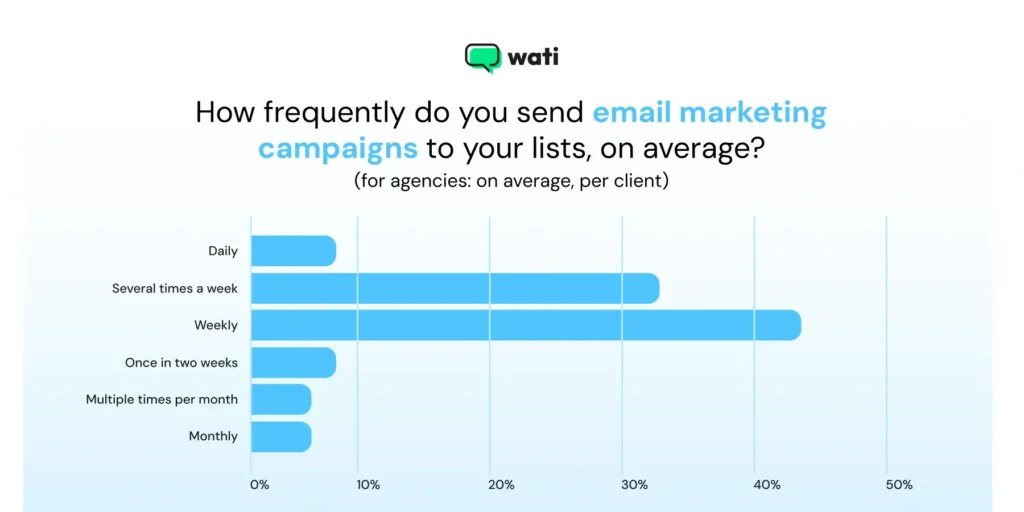
According to Databox study, 33% of marketers prefer sending email newsletters to consumers on a weekly basis. Statistics show that email newsletters have been a lead-generation channel, but they are not highly preferred or effective for marketers.
Source: Databox
The power of a WhatsApp newsletter lies in meeting customers where they already are, in their most personal and frequently checked app.
Read on to learn about the reasons why brands now prefer to send WhatsApp newsletters instead of email newsletters to achieve better engagement and results.
1. Unmatched Open Rates
As per a survey, emails have an open rate of 21.5%, while WhatsApp boosts an open rate of 98-99%. Further, studies show that 80% of these messages are read within the first five minutes of delivery.
This demonstrates that WhatsApp generates higher consumer interest and ROI than email. However, it does not undermine the strength of email marketing.
With over 3 billion monthly active users, WhatsApp fuels high-potential consumer journeys, as consumers demand quick attention.
2. Immediate and Personal
With WhatsApp newsletters, you can broadcast messages and create a conversational experience at the same time.
Unlike emails, your newsletters won’t land in trash or spam folders, rather will be viewed instantly. It lands in the main WhatsApp chat list, alongside messages from friends and family. With users checking WhatsApp at an average of 23 times or more per day, your brand establishes a much stronger connection with the customer.
3. Sky High Engagement
WhatsApp newsletters drive the highest audience engagement and are an effective way to engage customers through interactive content and timely updates. Greater visibility converts into quick action. CTRs for an email hover around 2.91%, whereas for WhatsApp, it is an average of 45-60%.
Till the time you are feeding right and enriched content to the right target group, you’d be assured that they will find your content useful and will engage.
This isn’t just about higher engagement; it is a completely different and effective category of performance marketing success.
4. High ROAS and ROI
Building a WhatsApp marketing strategy also fetches a high return on ad spend (ROAS) and ultimately ROI.
Users are selectively “opting in” for newsletters on WhatsApp, as well as the actionable metrics for the brand. Any WhatsApp interaction, like an ad click, sign-up up et cetera aids the success of the WhatsApp broadcasting campaign.
WhatsApp business accounts can be linked with WhatsApp Business API and existing CRM; the system dynamically triggers the right newsletter, thus increasing the possibility of returns.
Also read: Learn how to set up a WhatsApp ad step by step to launch events, attract clicks, and drive growth.
WhatsApp Newsletter vs. Email Newsletter: Which One Stands Out?
For marketers in 2026, the choice isn’t just about the preference; it’s about results.
While email holds its ground for long-form content and market buzz, the newsletter on WhatsApp wins on the grounds of impact.
Here is a direct comparison between WhatsApp newsletter and email newsletters.
Feature | WhatsApp Newsletter (via API) | Email Newsletter |
Average Open Rate | ~98% | 20-25% |
Average CTR | 45-60% | ~2-5% |
Delivery | Direct to primary chat inbox | Lands in Primary, Promotions, or Spam |
Interactivity | High (Quick Reply Buttons, CTAs, Chatbots) | Low (Click-out links only) |
Media Support | Rich (Video, Images, PDFs, Voice) | Rich (HTML, Images, GIFs) |
Consumer Trust | High (Strict, mandatory opt-in policies) | Moderate (High spam filter activity) |
Personalization | High (Variables, audience segmentation) | High (with advanced email service providers) |
Setup | Requires WhatsApp API & BSP (like Wati) | Requires Email Service Provider (ESP) |
Email newsletters are traditional GTM pushovers, but WhatsApp is a conversational platform designed with intelligence.
Keeping customers engaged also leads them to take immediate action, recover abandoned shopping carts, and build a genuine one-on-one relationship with the business.
Also read: How to Build a WhatsApp Marketing Campaign in 2026 (With Real-life brand examples!)
How Does WhatsApp Newsletter Brings Customers?
Long story short, WhatsApp newsletter keeps conversation going, humanizes the engagement, and automates customer communication on a large scale for brands.
The WhatsApp Business Newsletter feature enables brands to create and send targeted campaigns, improving customer outreach and engagement.
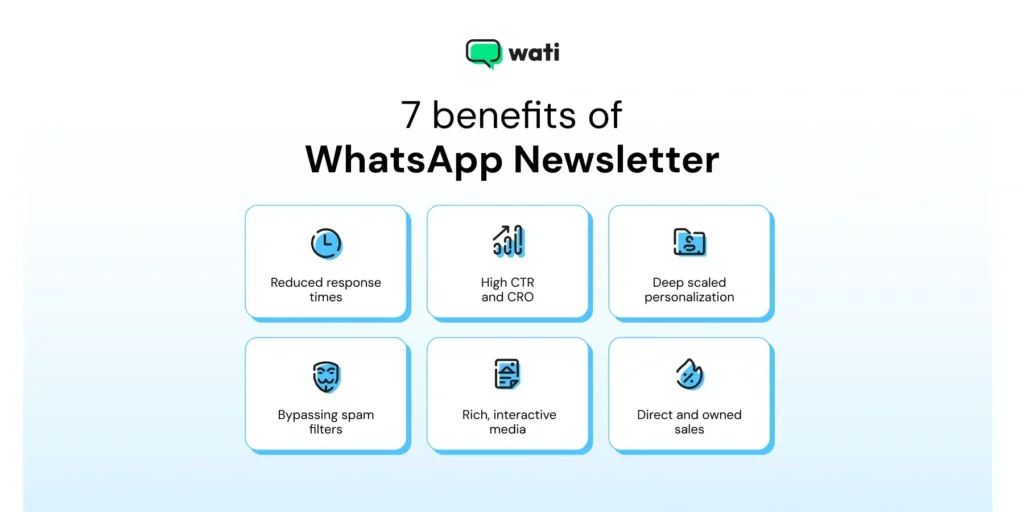
- High open rate and read rate: As WhatsApp boosts high open rates and read rates, launching WhatsApp newsletter broadcasts guarantees high customer engagement.
- Reduced response times: As consumers take swift action via WhatsApp, broadcasting newsletters will accelerate the lead journey and drive definitive consumer interest.
- High CTR and CRO: With CTR as high as 60%, you are not just driving attention; you are fostering a personal relationship and building trust. The direct path from message to purchase is why brands see up to 70% cart recovery on abandoned carts.
- Deep scaled personalization: Using a WhatsApp newsletter software like Wati automates broadcasting campaigns for multiple consumer segments. It offers pre-built segmentation with variables like “customer_name” or “lost_purchase” to hit the exact sentiment.
- Bypassing spam filters: Unlike emails that can land in junk folders, you have a direct, approved line to your customer’s WhatsApp inbox. However, brands must still adhere to compliance guidelines when sending messages to customers.
- Rich, interactive media: With a WhatsApp newsletter, you can add product videos, interactive catalogues, PDF guides, and CTA buttons like “Book Demo” or “Shop Now” for customers to make quick decisions and complete action.
- Better engagement: Brands can set “quick replies” or “chat automation” in response to a newsletter follow-up. Initial communication leads to an improvement in customer engagement and closes the loop from interest to conversion.
- Automation: Using the automation features of WhatsApp, you can achieve the desired scale and efficiency for sending out your WhatsApp newsletters. To leverage automation, you need help from WhatsApp Business API service providers like Wati.
- Performance tracking: With the WhatsApp newsletter, you get access to data like open rate, response rate, CTR, ROAS, and other metrics. Analysing these metrics can help you refine your WhatsApp newsletter strategy.
Also read: If you are serious about driving WhatsApp sales, check out the 20 best WhatsApp tools in 2026 to achieve your goals.
WhatsApp Newsletter Rules and Regulations
When sending WhatsApp newsletters, it’s essential to follow strict rules and regulations to maintain trust and avoid being flagged as spam.
Businesses must always obtain explicit opt-in from users before sending any marketing messages via WhatsApp. This means users should clearly understand what type of messages they’ll receive—whether it’s company news, event updates, order statuses, or promotional messages.
WhatsApp is designed to be a personal and secure messaging app, so mass messaging without user permission is strictly prohibited. Every business-initiated message, including newsletters, must use approved message templates.
These templates ensure that your messages meet WhatsApp’s standards and are not intrusive or overly salesy. It’s acceptable to send messages about events, appointments, payments, or useful content, and customer support can be provided through text, video, or even voice messages.
If a user opts out or files a complaint, you must immediately remove them from your mailing list to respect their preferences and comply with WhatsApp’s policies. By following these rules: using message templates, securing opt-ins, and sending only relevant messages, you can build a positive reputation and leverage WhatsApp as a powerful communication tool for your business.
How to Manage Your Newsletter Subscribers?
Effectively managing your WhatsApp newsletter subscribers is key to building a loyal and engaged audience. Start by collecting opt ins transparently—let users know exactly what kind of messages they’ll receive and how often.
You can collect opt ins through various channels, such as website pop-ups, QR codes at your store or events, or click-to-chat ads on social media. Each method should make it easy for users to join your contact list and become newsletter subscribers.
Once you’ve built your subscriber base, segment your contact list based on factors like demographics, purchase history, or previous engagement. This allows you to send targeted messages that are more relevant and valuable to each group, increasing the effectiveness of your WhatsApp campaigns.
For example, you might send exclusive offers to frequent buyers or product updates to those who recently made a purchase.
Always respect your subscribers’ preferences by providing a simple way to opt out of your newsletters. This not only helps you maintain a positive brand image but also ensures your messages don’t end up being marked as spam.
By using tools to collect opt ins, segment your contact list, and personalize your messages, you can maximize engagement and build lasting relationships with your WhatsApp audience.
How Can You Build WhatsApp Newsletter Workflows With Wati?
Using the automation features of WhatsApp, you can achieve the desired scale and efficiency for sending out your WhatsApp newsletters.
To leverage automation, you need help from WhatsApp Business API service providers like Wati.
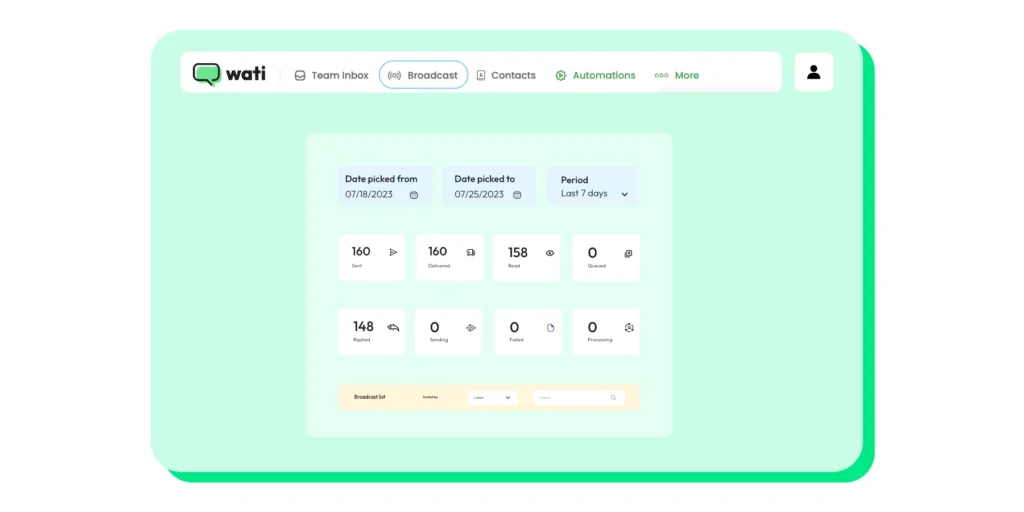
With Wati, you can:
- Schedule newsletters at specific times and dates, ensuring your audience receives them consistently without manual effort.
- Broadcast your WhatsApp newsletters to targeted groups using pre-defined broadcast lists based on subscriber preferences or demographics.
- Personalize newsletters with information like names or birthdays, fostering a more personal connection.
- Include buttons or quick replies within the newsletter, allowing subscribers to easily respond to polls, quizzes, or questions, boosting engagement.
- Set up automated messages to remind non-responders to open the newsletter or answer any questions, increasing engagement.
Top 5 Use Cases of a WhatsApp Newsletter (+Examples)
WhatsApp newsletters are used for more than promotions. These use cases show how brands share updates, drive engagement, and stay visible without overwhelming subscribers.
1. E-Commerce Flash Sales and Product Drops
Customer updates through WhatsApp newsletters are an effective way for businesses to keep their customers informed about various aspects of their products, services, and operations.
Build hype and drive urgency. For example, “Our new collection drops in 10 minutes. Shop here 5 minutes before everyone else.”
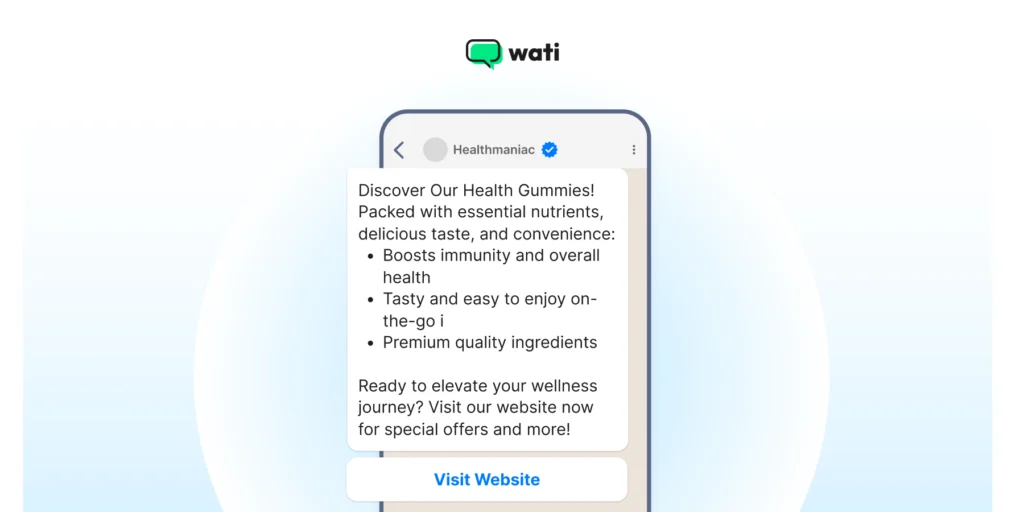
Here’s how businesses can leverage WhatsApp newsletters for customer updates:
- Product Launches & Updates
- Service Changes & Enhancements
- Promotions
- Policy Changes & Terms of Service Updates
2. Event and Webinar Reminders
Drastically increase attendance. Send a reminder 1 hour before you go live with the direct link to join. Track pre-event information, schedule updates, share speaker profiles, and track registration and attendance for customers.
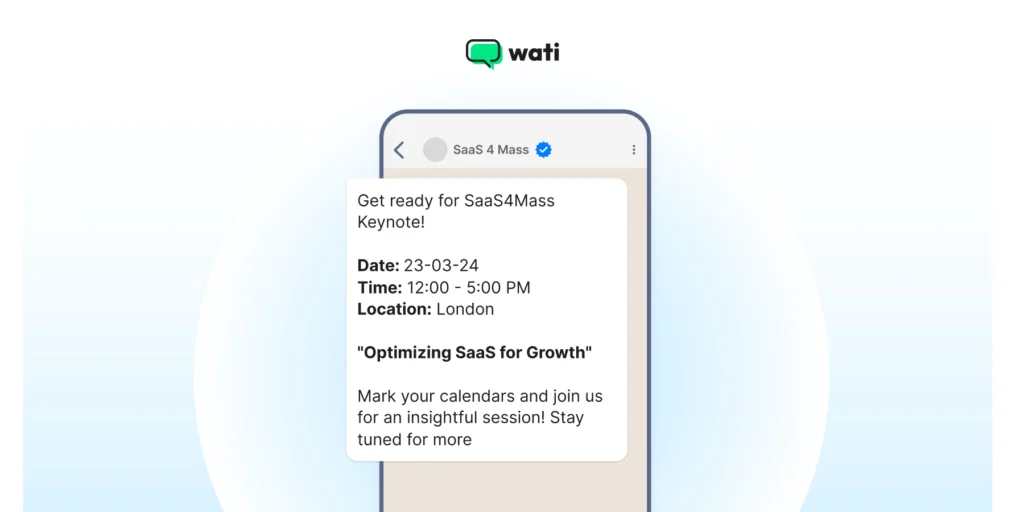
Here’s how event reminders can be expanded upon through WhatsApp newsletters:
- Pre-Event Information
- Schedule Updates
- Speaker Profiles and Highlights
- Registration and Ticketing Updates
- Exclusive Content Sneak Peeks
- Post-event Follow-up
3. Content Distribution
WhatsApp newsletters offer a direct and engaging way for publishers, bloggers, content creators, and businesses to reach their audience with valuable and relevant content.
Share your latest blog, podcast, infographics, playbooks, reports, video, or case study. For example, share something like “Our 2026 Guide to AI Marketing is live! Get your free PDF copy right here.”
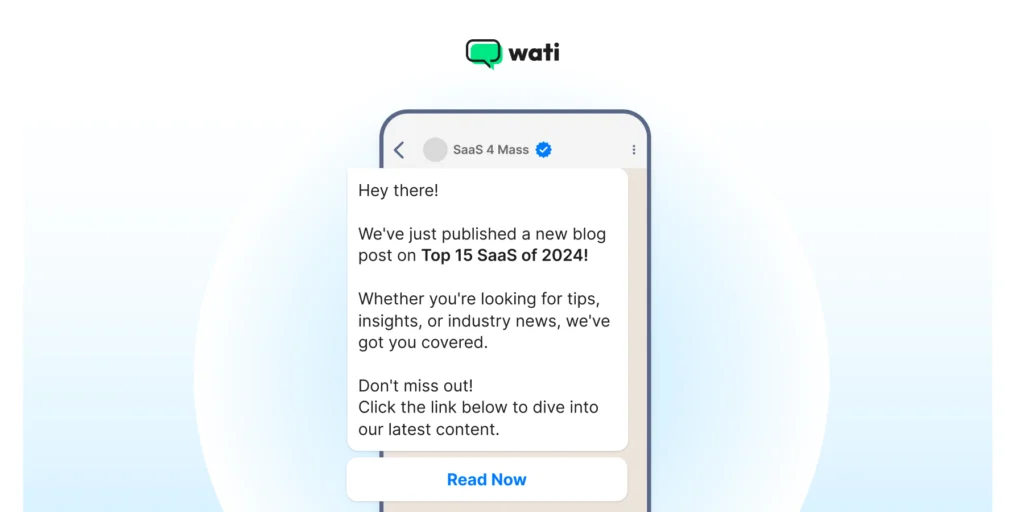
Here are the types of content that one can distribute via WhatsApp newsletters:
- New Blog Posts
- YouTube Videos
- Podcast Episodes
- Infographics
- Webinar Invitations
- Ebooks & Whitepapers
4. Exclusive Offers
Make your subscribers feel like VIPs. Automate messages like “Thanks for being on our list. Here’s a 20% OFF code just for you, valid for 24 hours.”
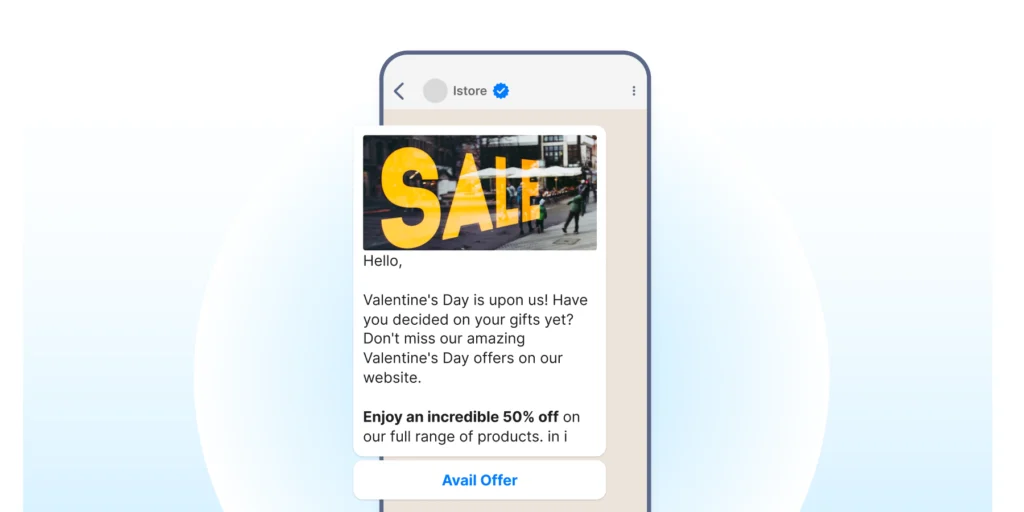
Below are the types of offers you can send through WhatsApp newsletters:
- Limited-time Offers
- Flash Sales and Daily Deals
- Early Access to Sales and Promotions
- Rewards and Loyalty Programs
- Referral and Shareable Offers
5. Survey & Feedback
Sharing survey results and outcomes via WhatsApp can add significant value for consumers.
Consumers are likely to engage with these newsletters more since they are data-driven and add a great deal of value. It could be a customer satisfaction survey, product feedback, NPS, and so on.
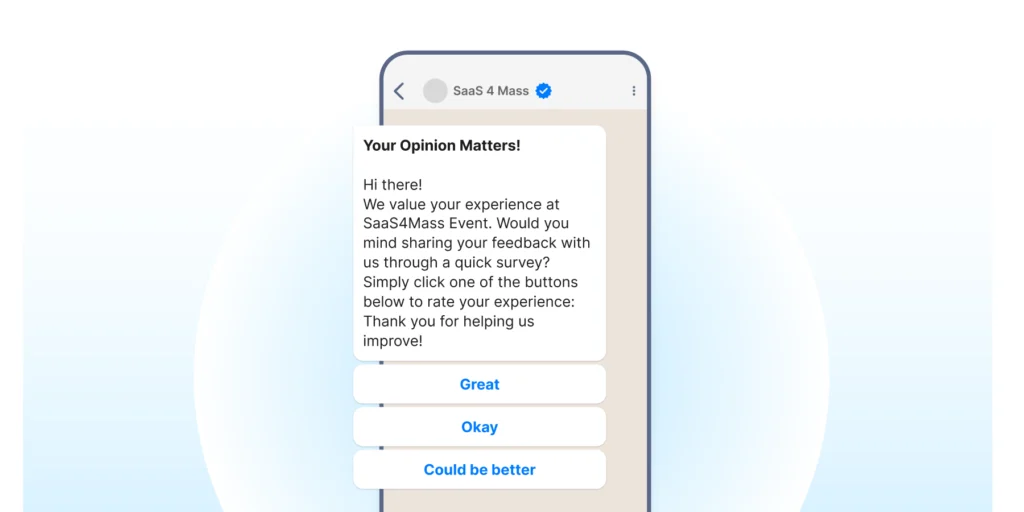
Types of feedback and surveys that can be sent include:
- Customer satisfaction surveys
- Product feedback and reviews
- Market research surveys
- Event and workshop feedback
- Website and user experience feedback
- Employee engagement surveys
- Brand perception and reputation surveys
- Net Promoter Score (NPS) surveys
- Product development and innovation surveys
- Post-purchase feedback and support
Weekly/Monthly Roundups
Curate your best content, top offers, or company news into a digestible format, building a reliable “appointment” with your audience.
Ensure that your customers are failiar with what’s happening in your company and latest updates of your product offerings. Inform them of weekly or monthly upates, summits, conferences and so on.
WhatsApp Newsletter: 7 Best Practices
These best practices focus on consent, timing, and content quality. Following them helps maintain engagement while avoiding subscriber fatigue.
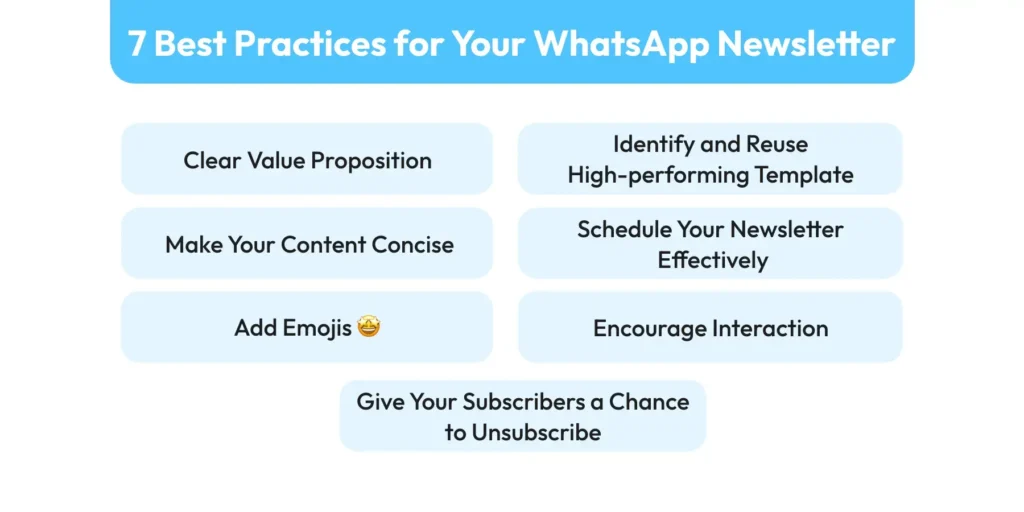
1. Clear Value Proposition
Make it clear to your subscribers what they have signed up for.
Irrespective of what kind of content you distribute in your WhatsApp newsletter, establishing transparency is always a good practice.
Promising the moon and stars and then failing at the delivery could lead to an instant failure of your newsletter.
2. Make Your Content Concise
If clarity is important, then so is conciseness. In the age of micro-content and decreasing attention spans, ensure that you get hold of your audience’s attention as quickly as possible.
Ensure that you cut to the chase and showcase immediately how the customer could benefit from the newsletter.
3. Schedule Your Newsletter Effectively
Establishing a consistent schedule for your WhatsApp newsletter is key to its success. Depending on your business and use case, you can decide to have a weekly, bi-weekly, or monthly newsletter.
No matter the frequency, remember that the main goal of your newsletter should be to keep your audience hooked in such a way that they are always looking forward to the next update.
4. Identify and Reuse High-Performing Template
Creating a new WhatsApp template every time you send a newsletter is time-consuming. A smarter approach would be to identify and reuse the ones that yield the best results.
Over time, it becomes evident which templates are most effective for your audience. Also, using pre-approved templates eliminates the risk of non-approval from Meta that a new template may encounter.
5. Encourage Interaction
Remember, your WhatsApp newsletters’ aim is to keep your audience engaged. To drive engagement, you need to encourage interactions through actions like:
- Asking questions
- Soliciting feedback
- Creating polls
6. Add Emojis
Although WhatsApp newsletters are supposed to be informative, it doesn’t mean they have to be boring. To make your newsletter visually appealing, you can add elements like:
- Images
- Videos
- Emojis
- Gifs
7. Give Your Subscribers a Chance to Unsubscribe
So, how is allowing your subscribers to unsubscribe a best practice, you ask?
Here’s why.
- First, this option prevents users from reporting you as spam.
- Second, this option shows your audience that you value their personal space and are not here to shove your content without their permission.
- Third, the opt-out option allows you to request feedback, helping you to know the exact reason why they chose to unsubscribe. This feedback can help you make amends and decrease the churn.
Common Mistakes to Avoid
To get the most out of your WhatsApp newsletter campaigns, it’s important to steer clear of common pitfalls. One major mistake is sending messages to users who haven’t given explicit consent—this can quickly lead to spam complaints and damage your business’s reputation on WhatsApp. Always ensure you have a clear opt in before adding anyone to your newsletter list.
Another frequent error is sending messages that are too long, too frequent, or irrelevant to your target audience.
Overloading subscribers with information or bombarding them with daily updates can lead to fatigue and a high opt-out rate. Keep your messages concise, valuable, and tailored to your audience’s interests.
Using unapproved or poorly designed message templates is another risk. All message templates must be approved by Meta before you send them, so make sure your content is compliant and professional. Avoid spammy language, misleading offers, or clickbait, as these can result in account suspension or termination.
By focusing on consent, relevance, and compliance with WhatsApp’s guidelines, you can create engaging newsletters that resonate with your target audience and drive real results.
How to Create a WhatsApp Newsletter via Wati
Learn how to create WhatsApp newsletters via Wati using structured broadcasts, templates, and automation to reach subscribers at scale.
Using the WhatsApp Business API and WhatsApp Business Platform is essential for sending newsletters efficiently and compliantly, especially for businesses aiming to manage large-scale campaigns.
To get started, you need access to the WhatsApp and the WhatsApp Business Platform, which provides a scalable and compliant solution for integrating newsletter tools and APIs. Sending newsletters through these tools is a key marketing strategy that enables direct, high-engagement communication with your subscribers.
1. Get WhatsApp Business API
You need to get the WhatsApp Business API.
To begin with, you need to sign up for a WhatsApp Business Account. Once done, you need to apply for the API access from your WhatsApp Business Account dashboard.
Then, you need to choose a reliable API provider like Wati to enable the newsletter feature. Finally, you need to set up and configure your Wati account.
Also read: How to set up a WhatsApp Business Account for refined customer communication.
2. Collect Opt-Ins From Customers
To get your WhatsApp newsletters started, you need subscribers. To do that, you first need to collect WhatsApp opt-ins. There are several ways to collect WhatsApp Opt-ins.
First, you can start from your homepage, which is the best place to drive opt-ins. There are a couple of ways you can employ via your homepage to enable opt-in for your newsletters. There are 4 ways to collect user opt-ins.
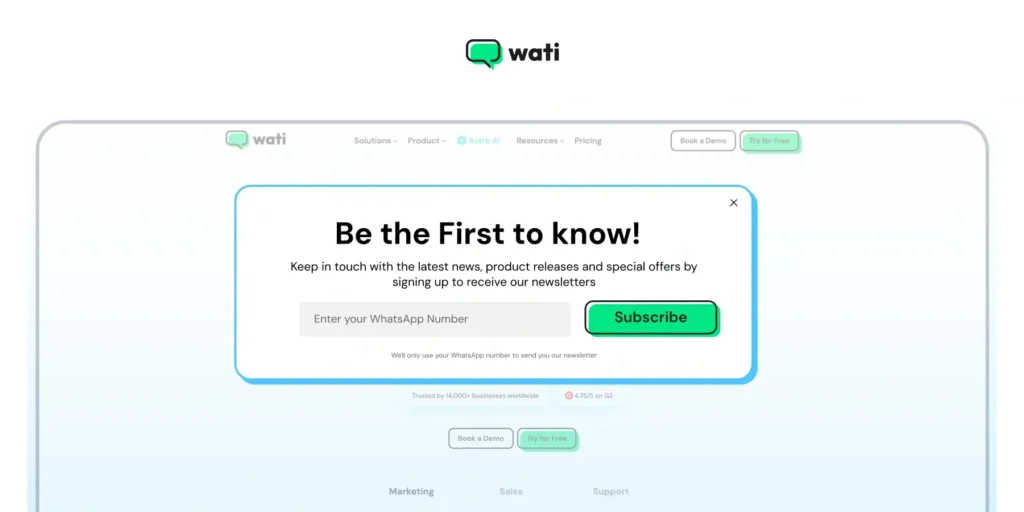
1. Pop-ups
Pop-ups are a great way to grab visitors’ attention. Once you have their attention, the chances of them subscribing to your newsletter increase significantly.
2. QR Codes
If not pop-ups, you can generate QR codes. QR codes are easy to scan and use. Even adding them is easy.
All you need to do is embed a QR code on your homepage that takes your visitors straight to your WhatsApp conversation with your brand.
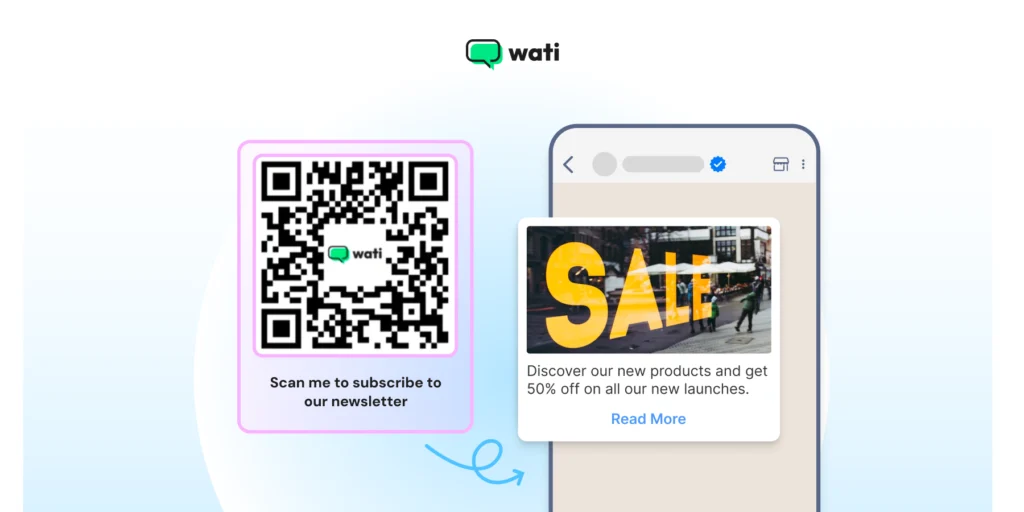
To generate a QR code for free, you can use Wati’s free WhatsApp QR Code Generator.
3. Landing Page
If you can and want to put more effort and money into your newsletter opt-ins, the best option is to have a dedicated landing page for it.
A separate landing page gives you enough real estate to provide important content that can intrigue the visitor further to go down the purchase funnel.
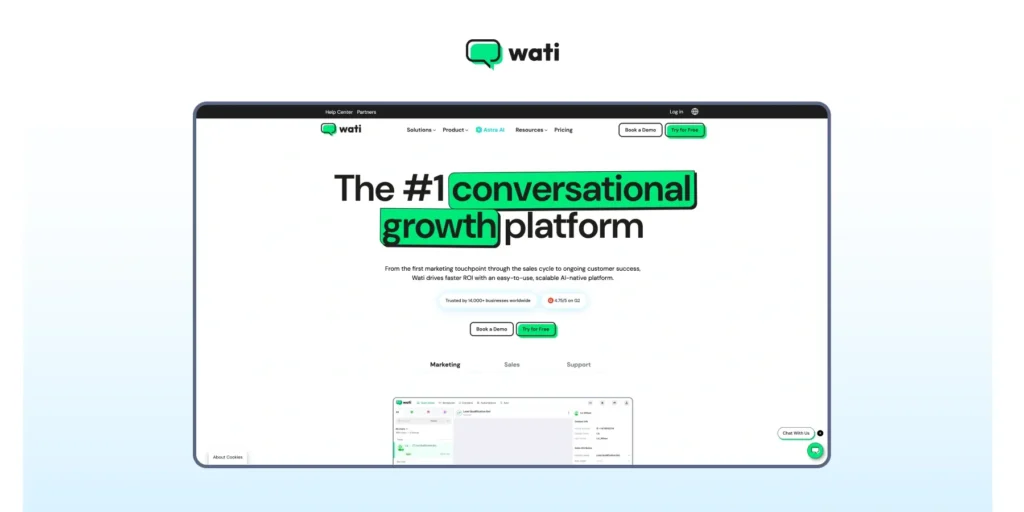
You can use the power of high-definition design with quirky copywriting to create the perfect newsletter pitch.
4. Create CTWA (Click to Whatsapp Ads)
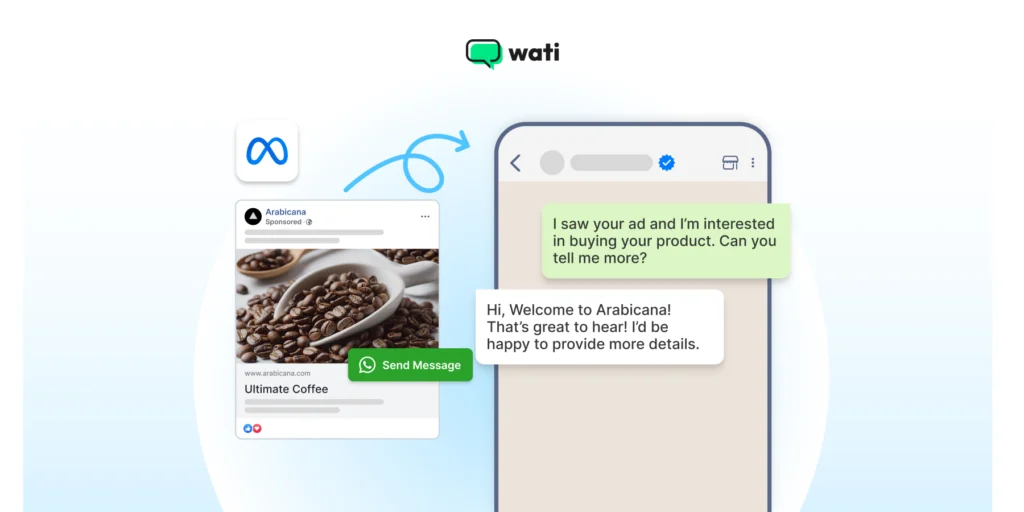
If you want to leverage advertisement options to drive opt-ins, you can give CTWA a shot.
CTWA acts as an entry point to start a conversation (in this case, an entry point for a newsletter subscription).
Apart from the convenience they offer to your prospect to subscribe to your newsletter, it also enables you to know through which channels they came to you and why.
Create Your Message Template
All business-initiated messages (like a newsletter) must first be approved by Meta. Meta restricts you to send another WhatsApp text to the consumer within 24 hours of the last unanswered text.
Using a WhatsApp newsletter tool like Wati, you’ll create a “Message Template” that includes your text, variables, media (like an image/video header), and call-to-action buttons. Approval is typically fast.
Upload & Segment Your Contact List
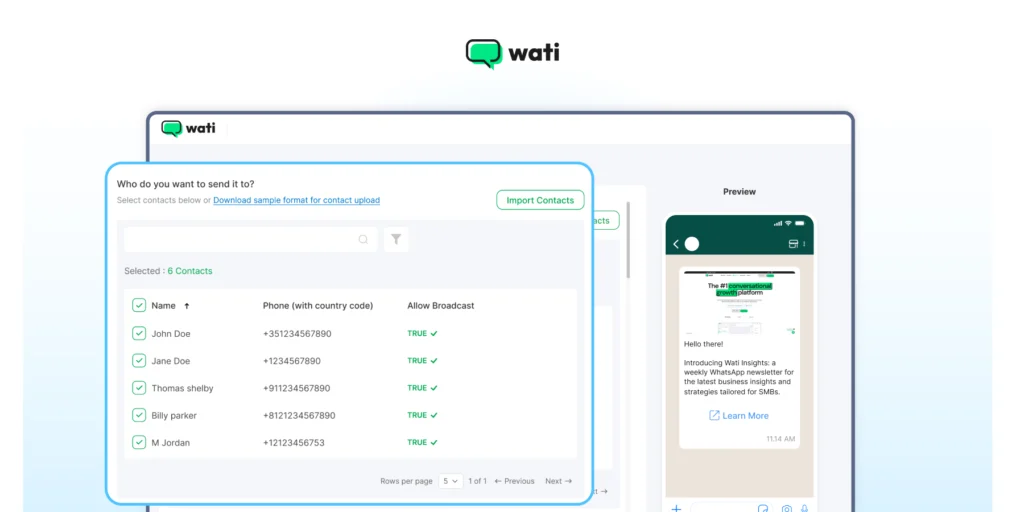
Once you have your list of opted-in numbers, you upload it to the Wati platform.
You can then segment this list based on demographics, purchase history, or engagement level to ensure your newsletter is highly relevant to each recipient.
Schedule and Send Your Broadcast
With your approved template and your contact list, you’re ready.
You can schedule your newsletter to be sent on WhatsApp at the optimal time or send it immediately. Wati’s dashboard will then provide detailed analytics on “Sent,” “Delivered,” “Read,” and “Replied.”
How to Set Up a WhatsApp Newsletter in Wati
Now, as we went through the process of sending a newsletter, let’s see how you can build that interface up with Wati.
- New Broadcast: First, click on “New Broadcast” and give your WhatsApp Newsletter a name.
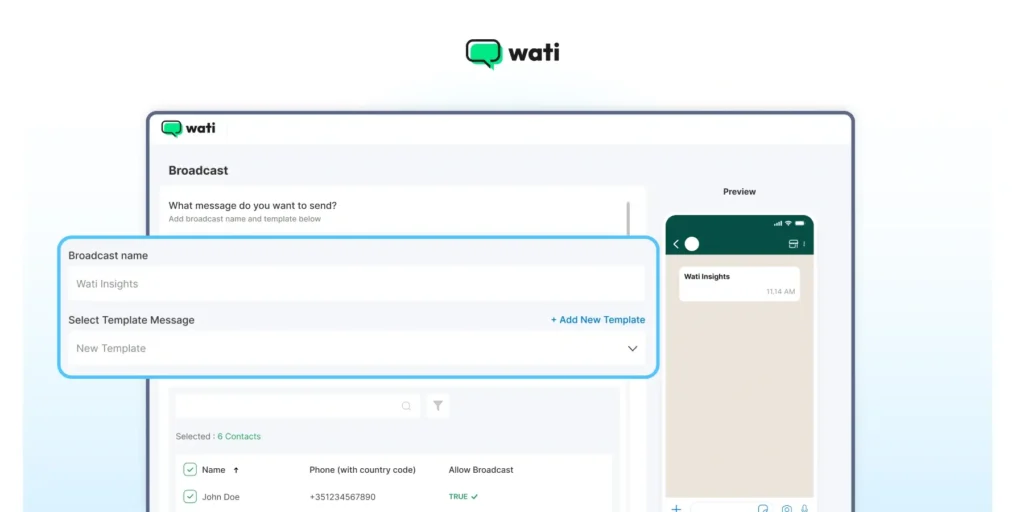
2. Create a template: Next, to create a template for your first newsletter edition, click on the “+Add New Template” button. To create a new template, fill in details like template name, category, and language.
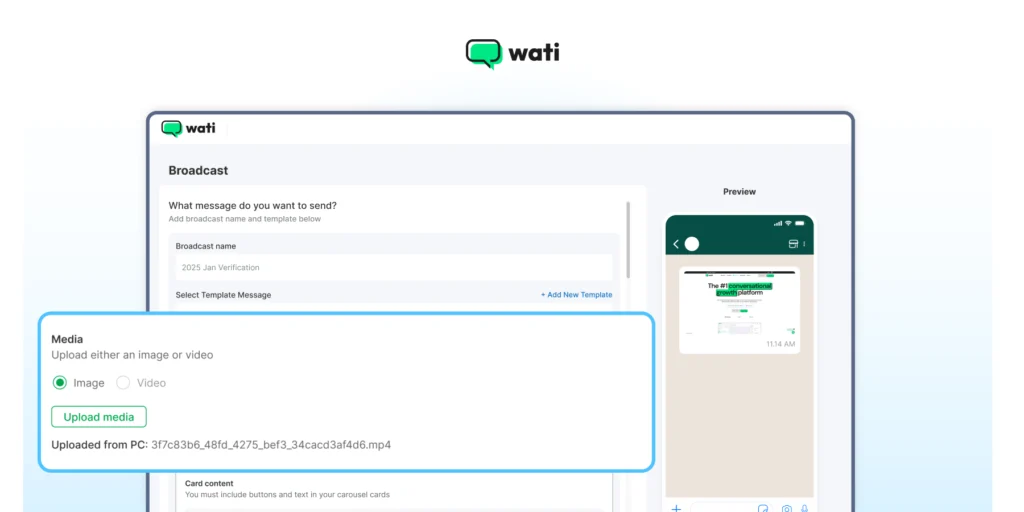
3. Select a header: Next, for the “Header”, you can decide to keep it in either text or choose media like photos, videos, or a document. Here, we have kept it media and uploaded an image.
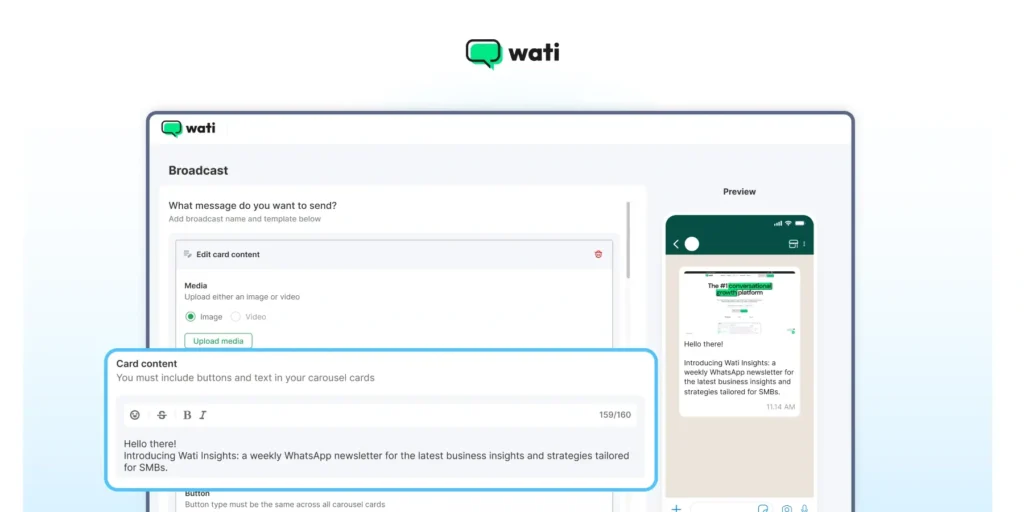
4. Add the body: Next, in the “Body” section, add the body of your newsletter. You can also add the variables like “cust-name”, “cust-last-name” to make your newsletter more personalized
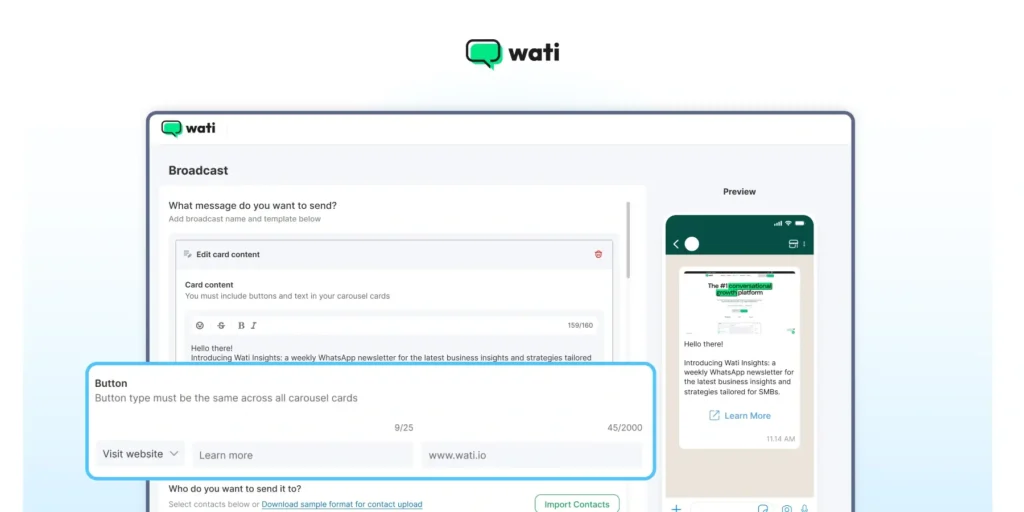
5. Call to Action: And lastly, you can add up to 3 CTA buttons to your newsletter. You can add CTAs or a reply option through the button option. Here, we have added one CTA button which redirects users to Wati’s homepage.
6. Save and submit: Once everything is done, save and submit your template for approval. Sit back and wait for the Meta approval, as it generally takes 30 to 48 hours, as per WhatsApp service level.
8. Schedule newsletter for the broadcast: Once you complete all the above steps, lastly decide when you want to send the newsletter. Here, you can either send it instantly or schedule it for a later time.
Top Features of Wati’s WhatsApp Business API
With Wati, you can make the entire process of WhatsApp broadcasts easy and convenient. Below are the features of Wati’s API that help generate quicker newsletters:
- Broadcast Management: Wati provides an intuitive interface to manage your contact lists, segment audiences, and schedule your newsletter campaigns.
- Template Manager: We guide you through creating and submitting your Message Templates for Meta’s approval, ensuring high compliance and fast turnaround.
- Shared Team Inbox: When subscribers reply to your newsletter, all their messages flow into a central inbox. Multiple agents can manage conversations, assign tickets, and provide instant support.
- No-Code Chatbot Builder: Automate responses to common questions from your newsletter. If a user replies “What’s the price?” or “What are the new colors?”, a chatbot can provide an instant answer, 24/7.
- Robust CRM Integrations: Wati connects directly to your other CRM tools, like Shopify, WooCommerce, HubSpot, and Zoho. This allows you to automatically sync customer data, trigger messages based on purchases, and personalize your newsletters at scale.
Be a Part of the Next Big Marketing Disruption!
Relying on WhatsApp newsletters not only enriches consumer intent but also sustains your brand perception in the long run.
Sharing WhatsApp newsletters leads to higher trust and loyalty, as consumers can see your efforts and quality in a much better way.
If you are scaling your sales strategy or looking for enterprise solutions, deploying WhatsApp Business API tools like Wati offers an end-to-end interface for newsletter management.
With Wati, you can schedule newsletters at specific times, enable chatbot automation, set quick replies, run event reminders, and do a whole lot more to deliver on your end goal.
We hope this guide helped you learn the significance of a WhatsApp newsletter and encouraged you to start your own newsletter campaign!
Wati’s premium API enables you to automate broadcast lists, track performance, and ensure 100% message delivery. Book a free demo now and sell smarter.
Frequently asked questions
What exactly is a WhatsApp newsletter?
It's a form of direct marketing where a brand uses the WhatsApp Business API to send scheduled, rich-media content (like offers or news) directly to a list of subscribers. Users must give explicit "opt-in" permission to receive these messages in their private chat inbox.
Why is a WhatsApp newsletter more effective than an email newsletter?
It's all about performance. A newsletter on WhatsApp boasts an average open rate of ~98% and a click-through rate (CTR) of 45-60%. This is far higher than email because it bypasses spam filters and lands directly in a user's most-checked app.
How do I create and send a WhatsApp newsletter?
To create a WhatsApp newsletter, you must use the WhatsApp Business API through a provider like Wati. First, you collect user "opt-ins," then you create a "Message Template" in your whatsapp newsletter tool for Meta's approval. Once approved, you can upload your contact list and broadcast your newsletter.
Can I send a WhatsApp newsletter for free?
No, not for scalable marketing. The free WhatsApp Business App has a small broadcast limit. A professional WhatsApp newsletter that reaches thousands of subscribers requires the paid WhatsApp Business API and a platform like Wati to manage it.
Related posts
- Complete Guide to Instagram Automation
Instagram comment automation auto-replies to comments and DMs commenters within seconds via Meta's API. Covers strategy, use cases, and Wati setup.
- How to Set Up a TikTok Business Account: Step-by-Step Guide
Set up a TikTok Business Account step by step: switch from personal, pick a category, add your profile, and unlock ads and analytics.
- TikTok for Business: How to Set Up, Market, Advertise & Grow (2026)
Learn how to use TikTok for Business to build your brand, create content, run ads, manage customer messages, and turn views into growth.
- Shared Team Inbox for Instagram: A Buyer’s Checklist for 2026
Use this fastest checklist to evaluate any shared team inbox for Instagram, which covers DMs, comments, automation, and multi-channel support.